
Kvali
Meal plans that write the shopping list
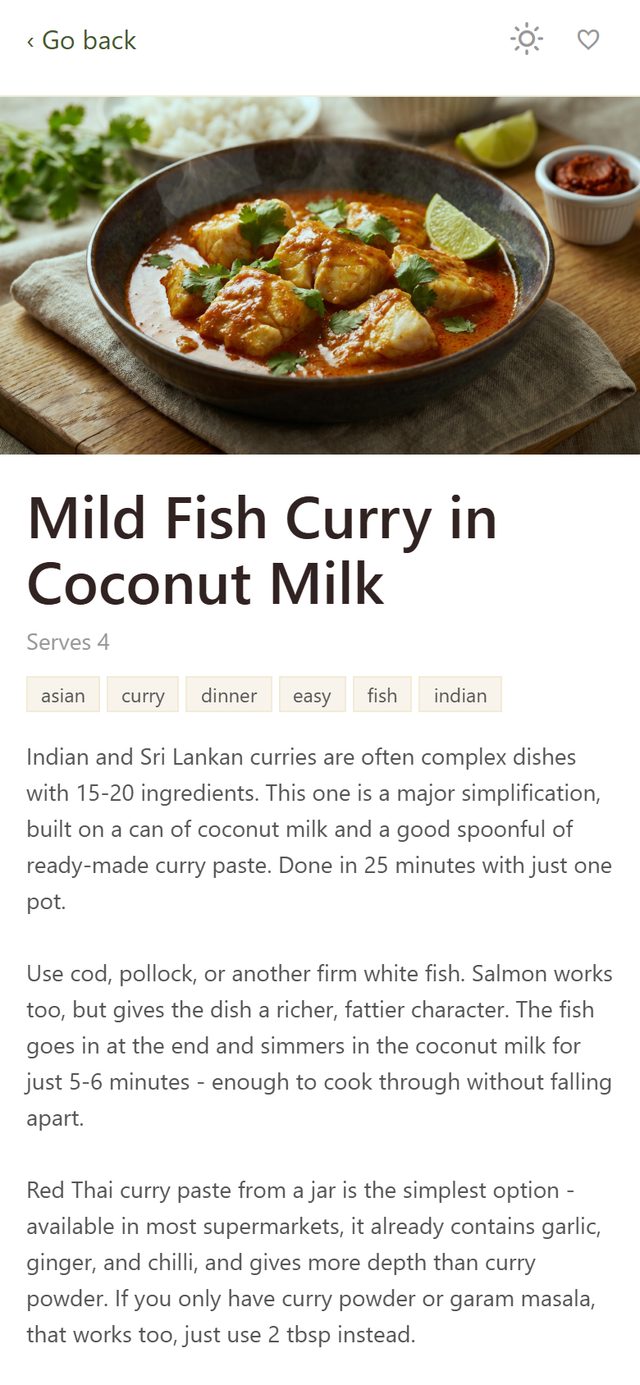
Kvali is a week planner wrapped around this site's whole recipe collection, plus 400 more written only for the app. Put dinners on days, and the shopping list builds itself out of what you planned. Then cook from the phone, one screen per day.

- Free
- iPhone, iOS 15.1 or newer
- English and Danish
- No ads, no tracking
Plan the week in a few taps
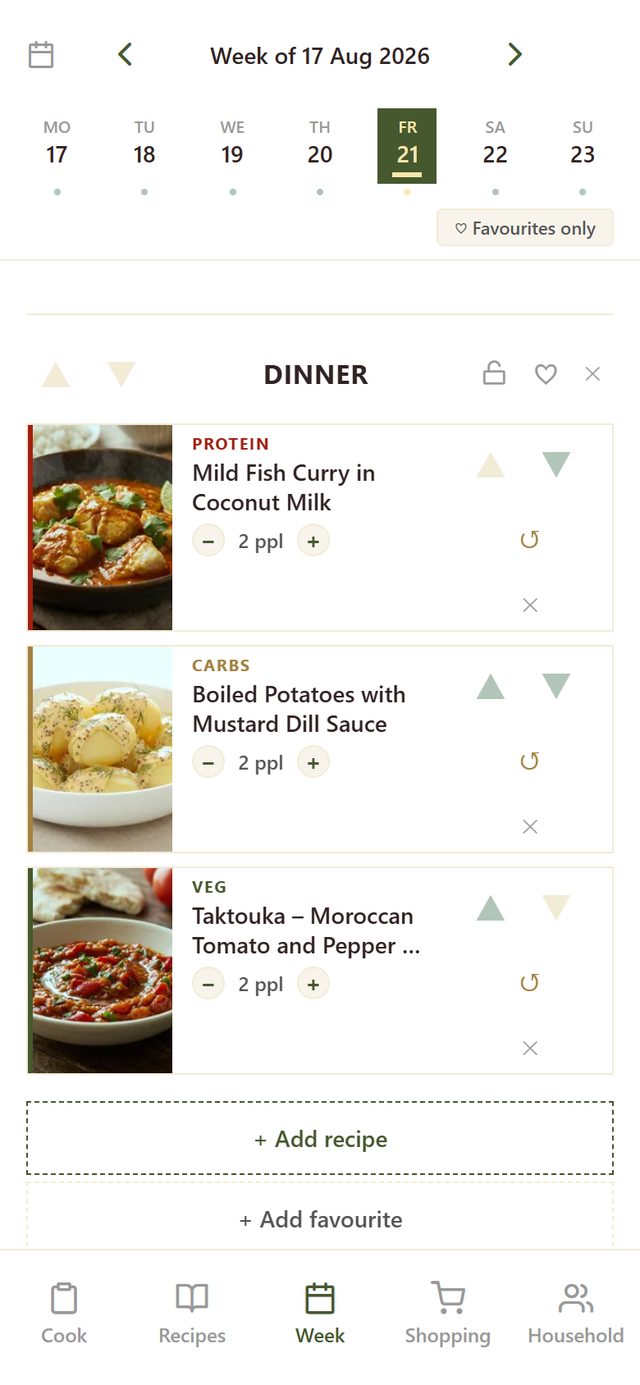
A day holds one or more meals, and a meal holds the dishes you are cooking that evening: something protein, something starchy, something green. Set the number of people per dish, move dishes around, swap one for a different recipe in the same role, or lock a meal so it survives the next reshuffle. If you would rather not decide, Generate meal plan fills the week in one go - restricted to your favourites, if you want a week of known quantities.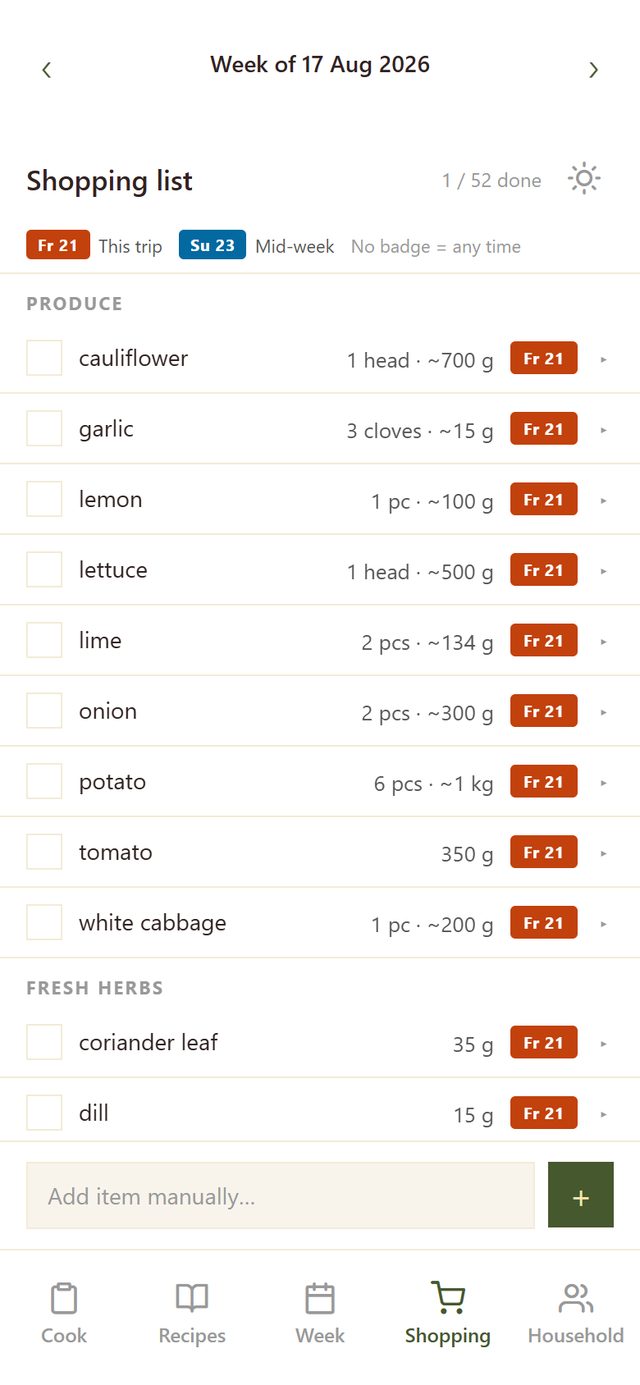
The shopping list writes itself
The list comes out of the plan, not out of you. The same ingredient from three recipes becomes one line with the amounts added together, and the lines are grouped the way a supermarket is laid out: produce, bakery, meat, dairy, pantry. Anything that will not keep until the weekend is badged with the trip it belongs to. Add whatever else you need by hand. Tick something off in the shop and it disappears for whoever else in the household is shopping.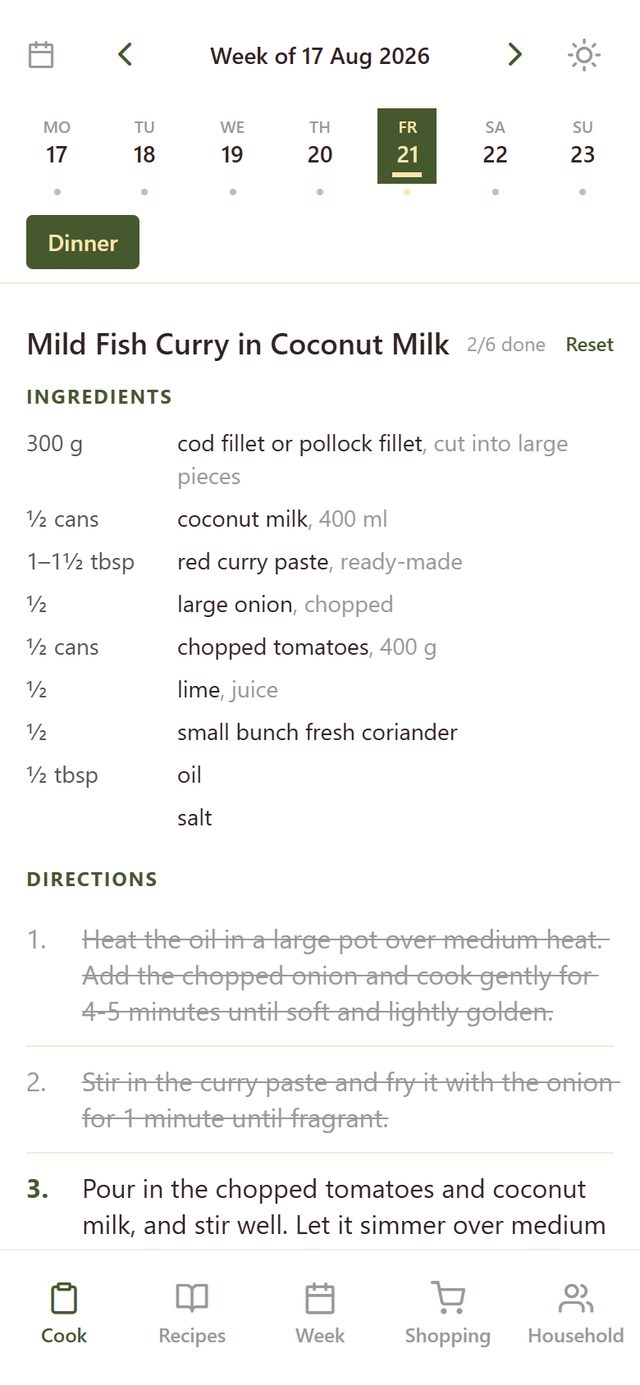
Cook from the phone
One screen for the day you are cooking. Ingredients already scaled to the number of people you planned for, then the directions as steps you tick off as you go, so you can look up and find your place again. The screen stays on while your hands are busy. It opens on today and keeps up with the date until you deliberately look at another day.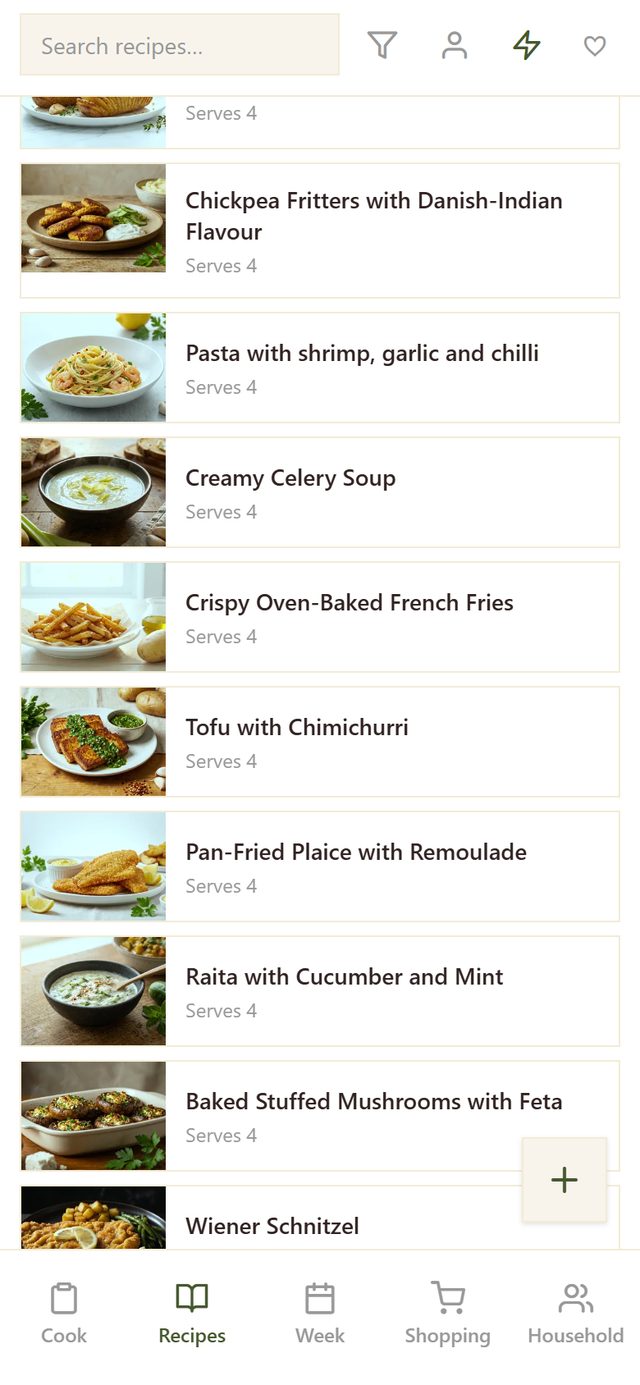
400 weeknight recipes that are not on this website
Alongside everything published here, the app has more than 400 recipes written for it alone. They are small on purpose. Each one is a single part of a dinner rather than the whole evening: this is the protein, this is the potatoes, this is the green thing on the side. That is how the planner puts an evening together, and it is what Generate meal plan draws on when it fills a week. The lightning button narrows the list to just these.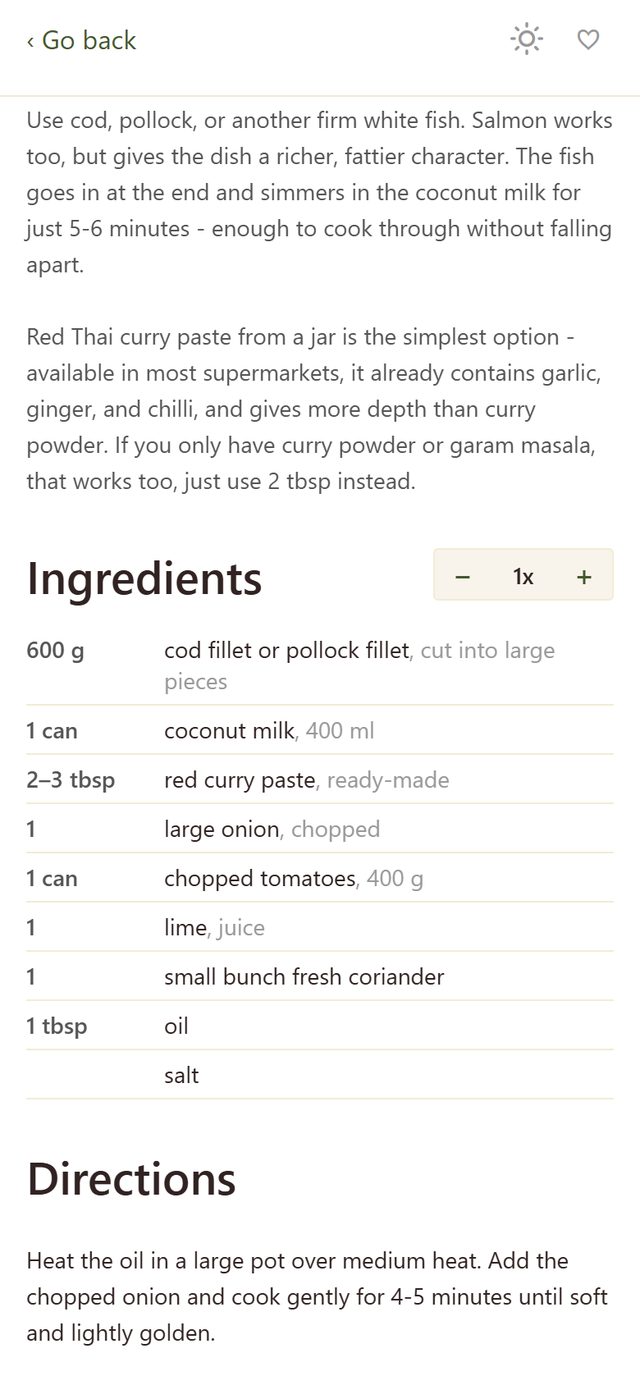
The full collection, and your own recipes
Every recipe on this site is in the app too, searchable and filterable by cuisine, course, main ingredient, method and diet. Open one and the - 1x + control scales the amounts to whatever you are cooking for. Tap the heart on the ones that work. You can also write your own: name, ingredients one per line, directions, a photo. Keep it a private draft, or share it with the household, where it can be planned and shopping-listed like any other recipe.How it works
- Install Kvali and create an account.
- Create a household, or join one with an invite code.
- Plan a week, or let Kvali plan it for you.
- Shop from the list, cook from the phone.
Good to know
- Free. No ads, no tracking, no analytics, and nothing to buy inside the app.
- It may not stay free. Kvali runs on one server, and if enough people start using it that the server has to grow, the app may have to start costing money.
- Works without a signal. Your week, your list and today’s cooking live on the phone; anything you tick off offline syncs when you are back online.
- Share a household and everyone sees the same plan and the same list, as soon as it changes.
- Some recipes have a gluten-free version. Choose it for a planned meal and the shopping list follows.
- Your data stays yours. Download all of it, or delete your account, from the Household tab. What is stored and why is in the privacy policy.
- iPhone only for now. There is no Android version.
- This website stays free, and needs no account.
Get Kvali
Free on the App Store.